
Colpitts Oscillator
Procedure
Apparatus
Transistors, resistors, capacitors, inductance coil, dc power supply, C.R.O.
1. Designing
Selection of Transistor: Use a high-frequency NPN transistor such as BF195.
Component Values:
L = 10 μH
VCE = 0.5 × VCC
VRE = VE = 0.1 × VCC
VRC = VC = 0.4 × VCC
Applying KVL for the Output Loop
VCC = IC RC + VCE + IE RE
= IC RC + VCE + VE
Therefore:
There for
Let VCC = 12V, β = 60 and IC = 1mA
Applying KVL for the Output Loop
VCC = ICRC + VCE + IERE = ICRC + VCE + VE
Therefore:
Design of Feedback Network
Selection of capacitors: All capacitor values may be taken as 1μF.
Required frequency of oscillation: f = 1000 KHz
Let L = 10μH
Frequency formula:
Effective capacitor Ceq = 2.5 nF
Therefore, C = 5 nF
Result
Amplitude and frequency of sine wave from Colpitts Oscillator = ……….. V, ……….. Hz.
Procedure for simulator
- Begin by arranging the components on the virtual breadboard as shown in Animation 1. Refer to the visual guide carefully to place each component in its correct position.
- To connect the components, click on one end of the wire and then click on the corresponding point on the breadboard to complete the connection. Repeat this step to interconnect all necessary components.
- Follow the connection diagram to ensure the circuit is completed correctly. Double-check that all connections are made as shown in the schematic.
- Once the circuit is fully connected, click the "Show CRO" button in the simulator interface. This will display the waveform output on the virtual Cathode Ray Oscilloscope (CRO).
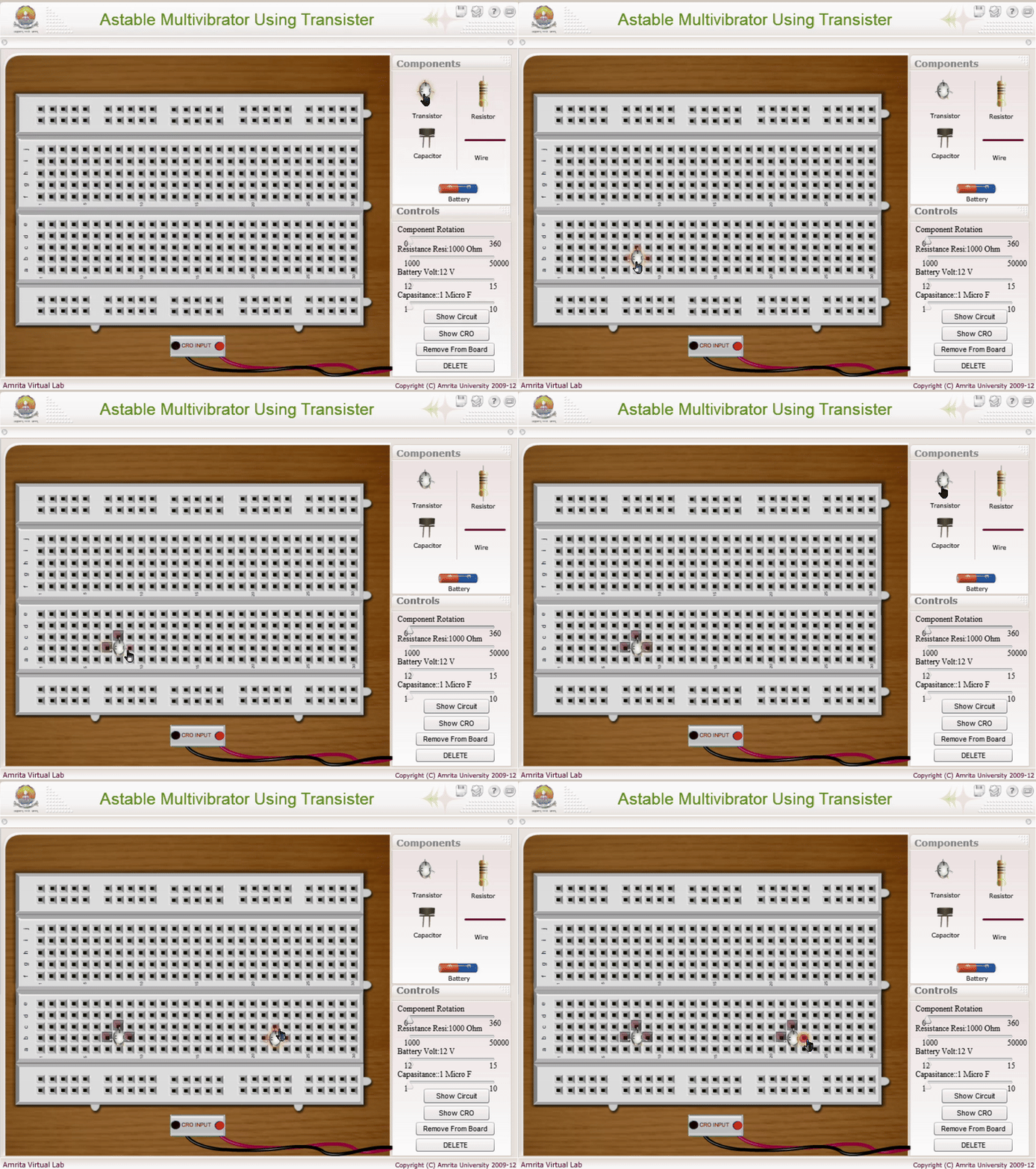
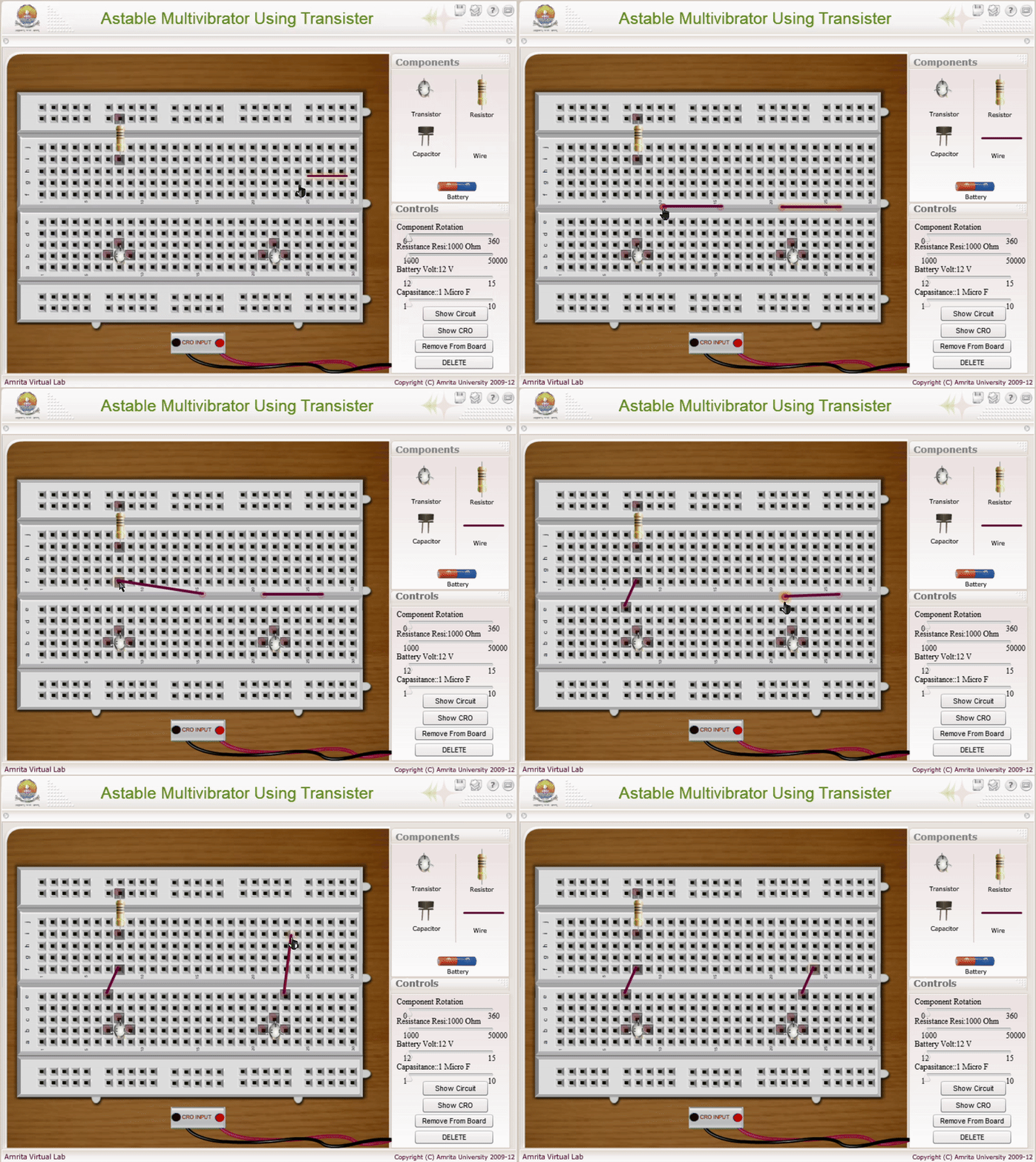
To Change the Component Value
- Select the component whose value you want to modify by clicking on it within the simulator.
- Use the slider on the right-hand side of the simulator to adjust the value (e.g., resistance, capacitance) as needed for the experiment.